


Toonly: AI Story & Comic Maker
4.140.00 Reviews
App Specs
- Version
- 0.8.3
- Updated On
- License
- Free
- Downloads
- 50,000+
- Developer
- Wiin Ltd.
- Categories
- Comics
- Platform
- Android
Screenshots
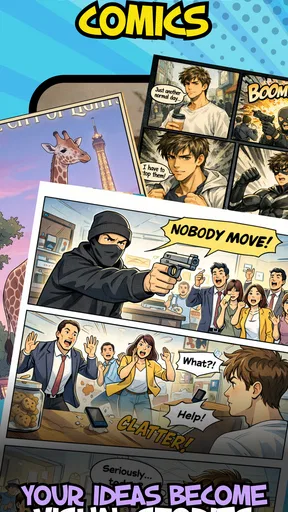
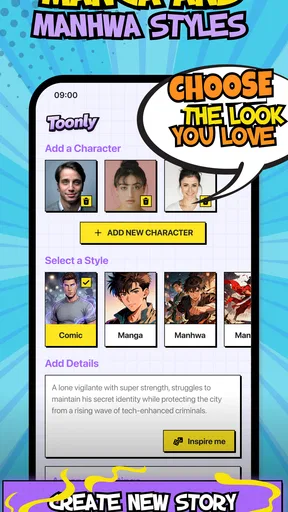
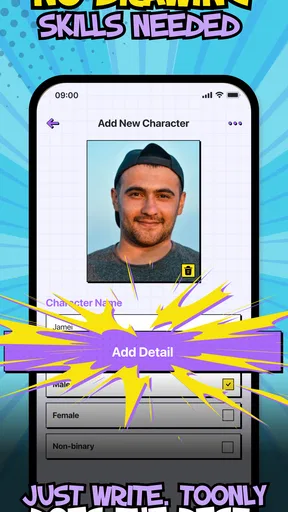
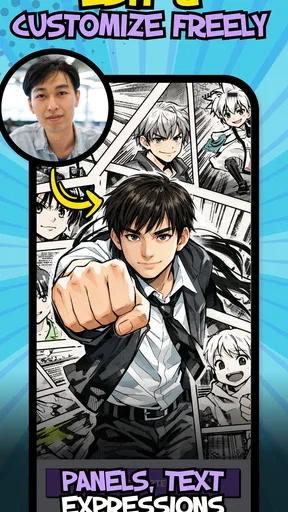
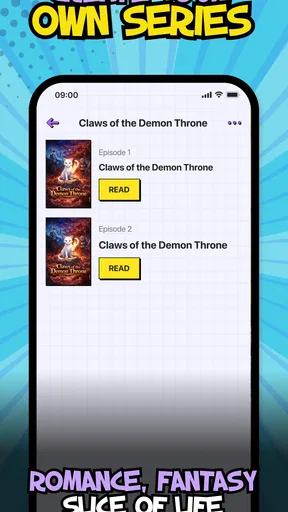
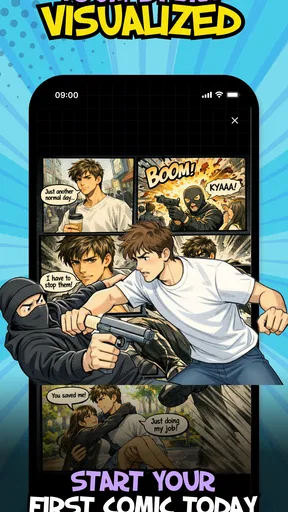
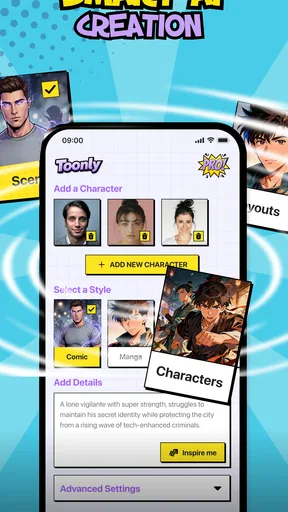
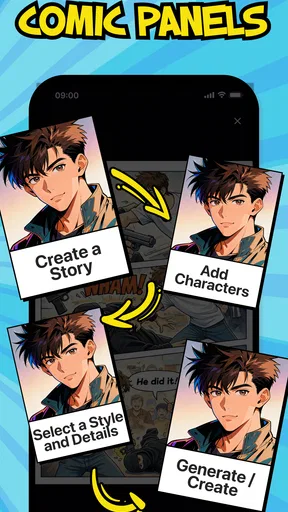
 Analysis by AppCompare
When I want to sketch out a comic idea but don’t want to start by drawing every element myself, a template-based maker can be a useful place to begin. Toonly: AI Story & Comic Maker is a free comics app from Minu Pte. Ltd. that centers on building stories from prepared starting points and making choices with AI. I’d treat it as a low-pressure creative workspace: useful for testing a premise, arranging a few story beats, and seeing whether an idea works on the page before committing to a more elaborate project.
A practical first session
The most reliable way to approach Toonly is to begin with a small goal rather than an entire graphic novel. I’d pick a template that is close to the mood or setting I have in mind, then decide what the central choice in the scene should be. That keeps the AI-assisted part focused: instead of asking it to carry a vague idea, I can use it to help shape a specific moment, such as a character choosing whether to trust a stranger.
For a first try, I’d make a short sequence with one clear decision and a visible consequence. If the choices lead to noticeably different story directions, the interactive format earns its place. If they feel like minor wording changes, I’d simplify the setup and give each option a stronger purpose. This is a useful test before investing time in extra scenes: the choice should change what happens, not merely decorate the page.
Habits that make the workflow clearer
A template is a starting point, not a finished story. I’d keep a quick note of the scene’s purpose and the character’s motivation before editing, then check each choice against those notes. That simple habit helps prevent a common problem with branching stories: options that sound different but reveal nothing new about the character or situation.
I’d also work in passes. First establish the basic sequence, then review the choices for clarity, and only after that polish the wording and visual presentation. Separating those tasks makes it easier to spot whether a scene is confusing because the plot is unclear or because the text needs tightening. It also avoids spending time polishing a branch that may be removed once the story’s logic is tested.
For a realistic everyday use, imagine having a spare stretch of time on a commute or during a quiet evening and wanting to turn a rough idea into something shareable. I’d use a ready-made template to block out the moment, make the reader face a meaningful decision, and then read both possible directions as if I knew nothing about the concept. If I can’t tell why the character makes either choice, that’s a prompt to revise the setup rather than add more branches.
Making choices and shaping a comic
Because Toonly is centered on stories and choices, it suits people who enjoy interactive fiction as much as page-by-page comics. The key question is whether you want to make a narrative that invites a reader to choose. If your idea depends on a single carefully controlled sequence, a conventional comic editor may feel more direct. If you want to explore alternate reactions or endings, Toonly’s premise is a better fit.
Worth Reading Before You Choose

EA SPORTS FC Mobile 26 Is a Bigger Football Game, but It Takes Time

Flipboard Shows What News Apps Must Do Beyond the Feed

Switching to Android Auto Means Rethinking Your Driving Routine

Google Calendar Makes a Crowded Week Easier to Manage

Ludo King Makes the Most of the Minutes Between Plans

Baby Panda World Brings Quick Play to Modern Phones, but Its Game Library Feels Busy
It’s also worth deciding what “finished” means before you start. A quick concept draft can be valuable even if it remains a small personal project; a polished comic intended for a wider audience needs more attention to consistency, pacing, and legibility. I’d check that the choices are easy to understand without explanation, and that each branch still feels connected to the original premise. Interactive stories can become sprawling surprisingly quickly, so a deliberately compact first project is often more satisfying than trying to map every possibility.
Questions to settle before you spend time
Toonly is free to download, and it has optional in-app purchases ranging from $2.49 to $59.99 per item. I’d explore the basic creative workflow first and only consider a purchase if I understand what it adds to my own process. That’s a sensible approach for an app where the value depends on how often you make stories, rather than simply on how many tools appear on screen.
The app is rated for Everyone, but that doesn’t mean every story idea will suit every reader. I’d still use ordinary judgment about themes and wording, especially if I were making a comic for children or sharing it in a family setting. The age label is a guide to the app’s general audience, not a substitute for reviewing the content you create yourself.
Toonly has an average rating of 4.3 from around two thousand ratings, with over fifty thousand installs. Those figures suggest that people are finding and using it, but they don’t tell me whether its particular workflow suits my project. I’d judge it by making one small story: can I get from a premise to readable choices without wrestling with the process? That hands-on test is more useful than popularity alone.
Where it fits among comic-making options
Compared with drawing-focused comic apps, Toonly’s appeal is its emphasis on templates, AI assistance, and branching story ideas rather than on starting with a blank canvas. That can lower the barrier for someone who has a plot in mind but little confidence in illustration. The trade-off is that creators who want detailed control over every visual element, or who already have a practiced drawing workflow, may prefer a conventional art tool and build their pages themselves.
It also differs from a plain writing app. A document is usually better for long drafts, research notes, and heavy revision; Toonly makes more sense when you want to see a story take comic form and test choices as part of the reading experience. I wouldn’t force a long, linear manuscript into an interactive format just because the option exists. The strongest use case is a compact idea where the reader’s decision changes the scene or reveals something about the characters.
One practical trade-off is the extra planning interactive work requires. Each branch needs a reason to exist, and too many options can make a short piece harder to finish. I’d start with a single decision, check whether its consequences feel distinct, and add another only if it improves the story. That keeps the project manageable and makes it easier to tell whether AI support is helping with the creative block or simply producing more material to sort through.
Who will get the most from it
I can see Toonly working well for a beginner who wants to turn a story prompt into a comic without first mastering an illustration tool, or for a writer who wants to experiment with reader choices. It may also suit someone making a short, informal piece for friends: a small scenario with two plausible reactions is easier to finish and share than a sprawling branching saga.
I’d look elsewhere if my priority were professional page layout, fine-grained drawing control, or a long-form writing environment. Those needs call for tools built around visual composition or sustained text editing. Toonly is most promising when I’m curious about the combination of comics and interactive choices, and willing to keep the first project modest while I learn what the workflow can do.
Getting Started with Toonly
Diving into Toonly: AI Story & Comic Maker is a breeze. The app greets you with a vibrant and user-friendly interface that just screams creativity. Right off the bat, you're introduced to a simple tutorial that guides you through the basics. Trust me, even if you're not tech-savvy, you'll feel like a pro in no time.
The setup process is straightforward. You can either start from scratch or use one of the many templates provided. I was pleasantly surprised by the variety of templates available. From fantasy lands to bustling cityscapes, there's something for every story. And if you're feeling adventurous, you can mix and match to create something truly unique.
Features That Stand Out
One of the first things that caught my eye was the AI-powered character creator. You can customize characters down to the tiniest detail. Whether it's changing hairstyles, outfits, or facial expressions, the possibilities are nearly endless. The AI does a remarkable job of maintaining quality, ensuring that each character feels like a piece of art.
Then there’s the scene builder. It's incredibly intuitive. You just drag and drop elements to create your scene. Want to add a dragon flying over a castle? No problem. Need a bustling marketplace with animated characters? Easy peasy. The app allows for layering, so you can add depth and dimension to your scenes.
Another cool feature is the voiceover tool. You can either record your own voice or use the app’s text-to-speech feature, which surprisingly offers a range of voices and accents. It adds a whole new level of immersion to your stories.
Creating a Story
Once I got the hang of the tools, I decided to craft a short story. The app makes it easy to switch between panels and pages, allowing for smooth storytelling. The text editor is flexible too. You can adjust fonts, sizes, and colors to match the mood of your story.
I loved how the app encouraged experimentation. I found myself trying out different plot twists and character arcs, and the best part? The undo button is always there as a safety net. It's like having a creative sandbox where you can play without fear of making mistakes.
Sharing Your Masterpiece
After piecing together my story, it was time to share it with the world. Toonly makes this part super simple. With a few taps, you can export your comic in various formats. Whether you want to share it on social media, email it to friends, or print it out, the app has you covered.
The quality of the exports is top-notch. The images are crisp, and the animations, if you choose to include them, are smooth. It's satisfying to see your work look so professional, all with minimal effort.
The Verdict
Overall, my experience with Toonly: AI Story & Comic Maker was nothing short of delightful. It's an app that invites creativity and makes storytelling accessible to everyone. Whether you're an aspiring comic artist or just someone who enjoys crafting stories, this app has something to offer.
Sure, there are some limitations, like the occasional lag when handling large projects, but those are minor hiccups in an otherwise stellar experience. If you’re looking to unleash your creativity and dive into the world of storytelling, give Toonly a shot. You might just surprise yourself with what you can create.
Pros
- User-friendly interface for easy navigation.
- Wide variety of templates and themes.
- High-quality output for professional use.
- Regular updates with new features.
- Excellent customer support and tutorials.
Cons
- Limited free version features.
- Occasional lag on older devices.
- Requires internet for full functionality.
- In-app purchases can be pricey.
- No offline editing available.
FAQs for Toonly: AI Story & Comic Maker
What features does Toonly: AI Story & Comic Maker offer?
Toonly provides a wide range of features including AI-driven story creation, customizable comic panels, and a vast library of characters and backgrounds. Users can also add dialogue, sound effects, and music to enhance their storytelling experience. The app is designed to be user-friendly, making it accessible for both beginners and advanced users.
Is Toonly suitable for professional comic creators?
Yes, Toonly is suitable for both amateur and professional comic creators. It offers robust tools for detailed customization and high-quality output, making it a versatile option for those looking to create professional-grade comics and stories. The app's intuitive design also helps streamline the creative process.
Can I collaborate with others on Toonly projects?
Currently, Toonly does not support real-time collaboration within the app. However, users can share project files with others for feedback and editing. Future updates may include collaborative features, as the developers frequently update the app based on user feedback and technological advancements.
Does Toonly require an internet connection to function?
Toonly requires an internet connection for initial download, updates, and accessing cloud-based assets. However, many of its core features can be used offline, which is convenient for users who may want to work on their projects without constant internet access. Keep in mind some features may be limited offline.
Are there any costs associated with using Toonly?
Toonly offers a free version with basic features, but there are in-app purchases and subscription options for advanced tools and content. The premium versions provide access to a wider range of assets and more sophisticated editing capabilities. Users should consider their needs to decide which version is most suitable.


